The client
Sinfonia rents and leases private cars for self-drive use in Singapore. Its fleet is nine cars from Porsche, Mercedes-Benz and BMW, rented by the month, and Sinfonia plans to add more.
The challenge
Sinfonia found its customers by word of mouth. When someone asked about a car, the team sent photos of it, then answered the same questions about dates and who can drive. That works for a few cars and a few friends of friends. It doesn't work for a fleet that's growing.
- Nowhere to show the fleet. The cars lived in phone galleries and chat threads. Nobody outside Sinfonia's circle could see what it had.
- Every enquiry started from zero. Each conversation repeated the same photos, the same questions and the same driver requirements.
- More cars meant more work. Every new car was another set of photos to send by hand, with no way for anyone to browse.
- A brand to match. The site needed a logo, colours and type that would also work on everything else Sinfonia puts out.
The brief was an online showroom: one place that shows every car properly, answers the common questions before anyone asks, and grows as the fleet does.
The approach
Agree the look before writing code
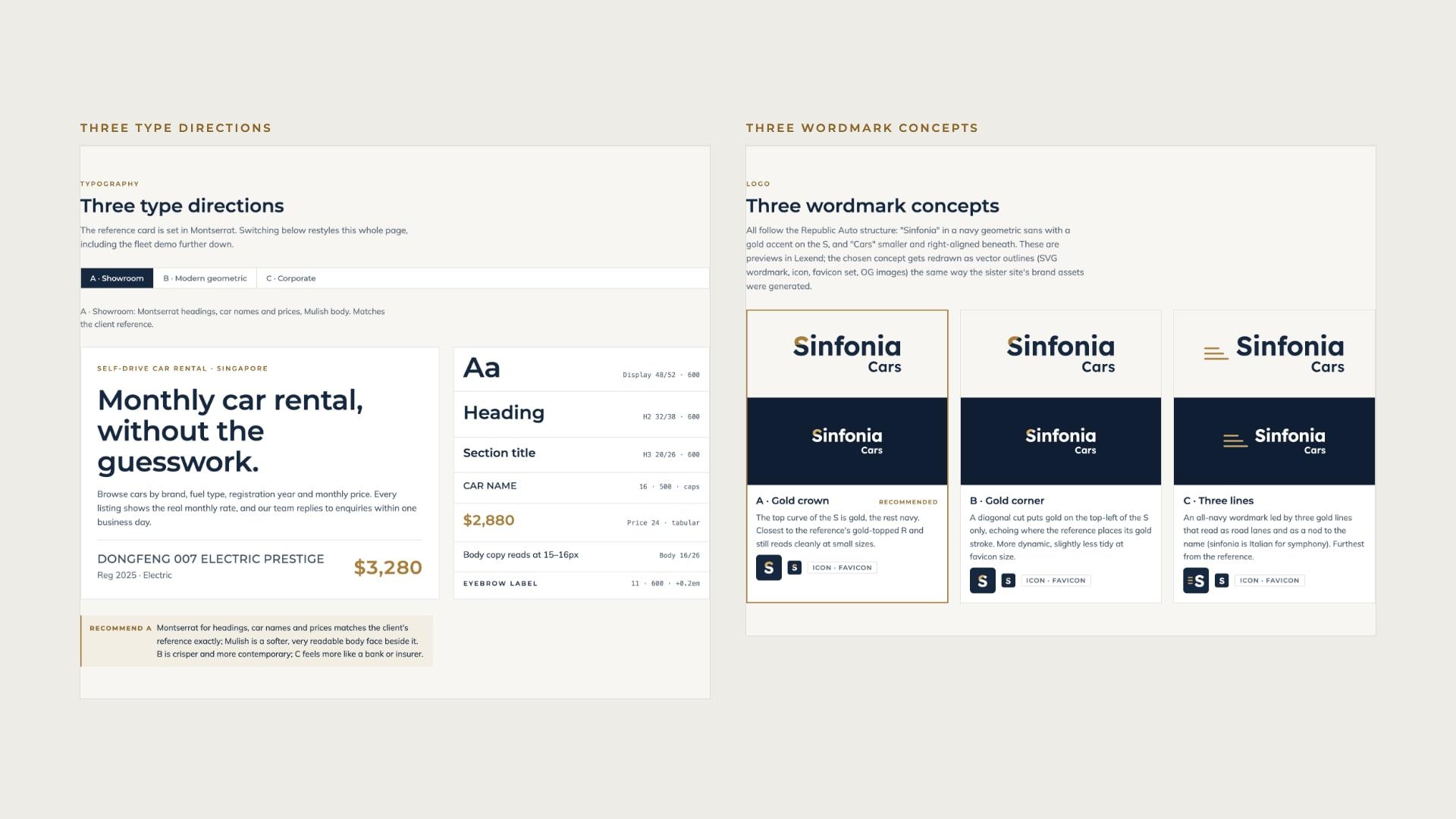
The work started with a design direction page rather than a static mockup. It held a palette, three type directions, three logo concepts, a working fleet grid with sample cars, the page structure, the driver requirements and twelve decisions for the client to sign off. Every choice was made on something the client could click through.
The client brought two references: a car listing card with a slate car name and a gold price, and a dealer logo with a gold accent on its first letter. Both shaped the direction.
Build on a proven foundation
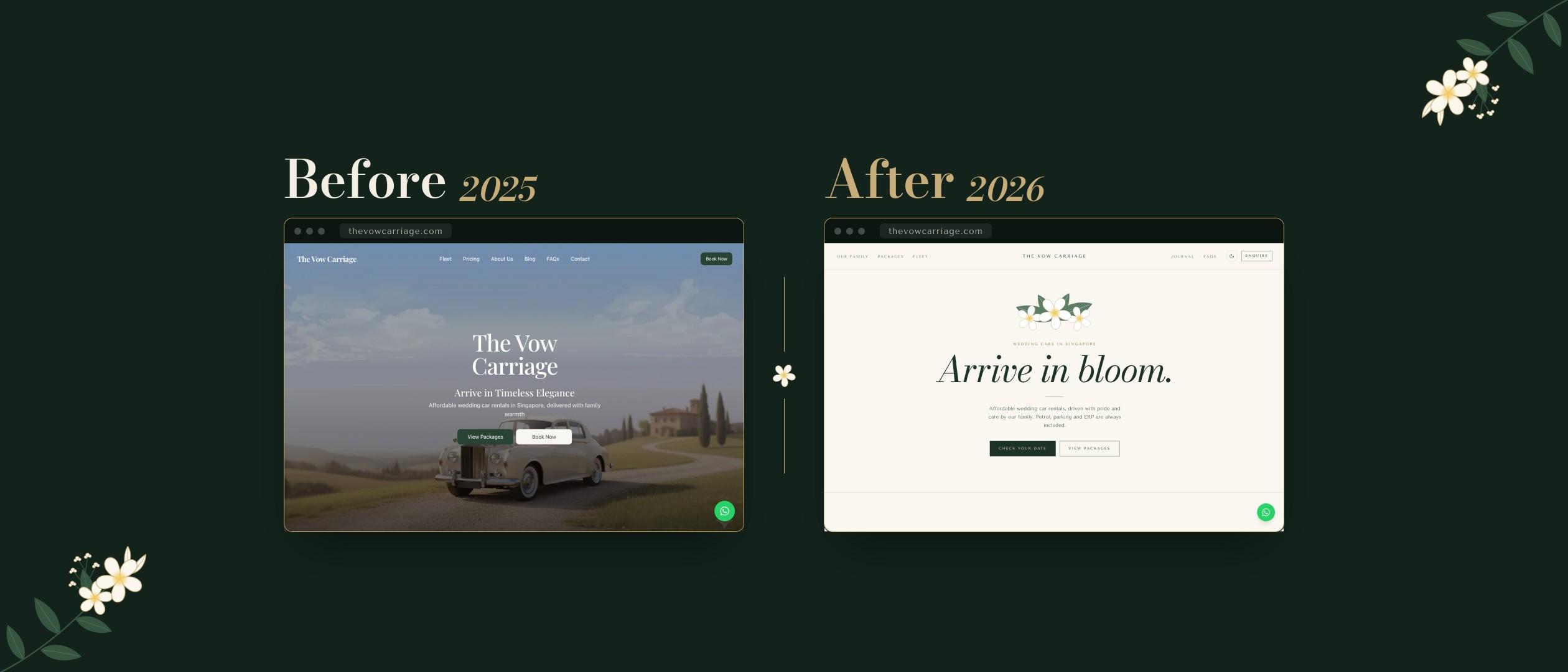
The site reuses the Next.js foundation of The Vow Carriage, another Singapore car rental site, without its packages and blog. That left the time for what this site needed most: the fleet.
Build for a growing fleet
Each car is one entry in a single list: its name, brand, year, colour, fuel, price and photos. Everything else is built from that entry: its listing, its own page, its place in the filters, its share image and its search data. Adding a car means adding one entry and its photos, with no page designed by hand.
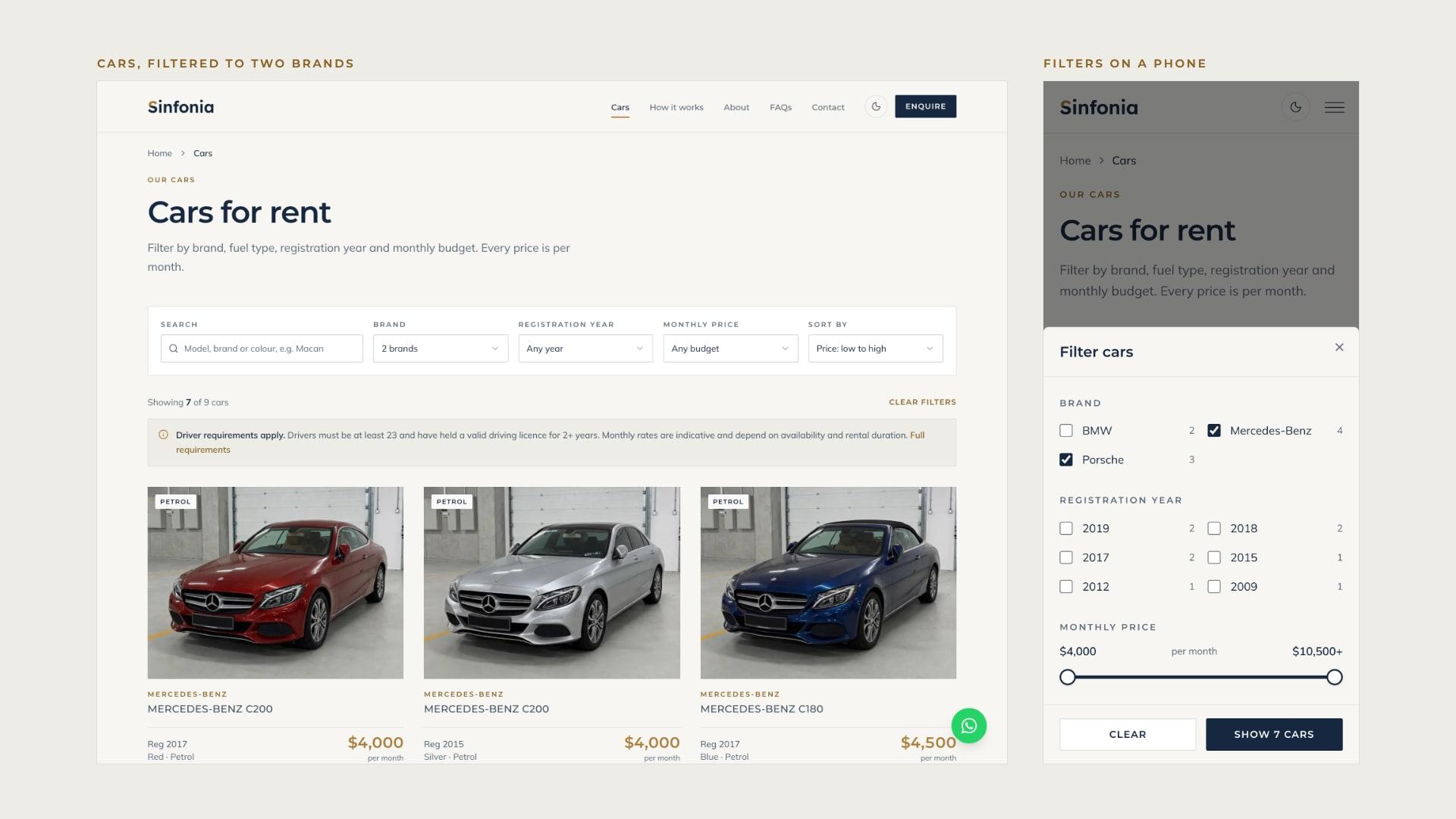
The filters follow the fleet too. Brand and year options come from the cars themselves, each with a count, and the fuel filter only appears once there's more than one fuel to choose from. The list is checked when the site is built, so a mistake in an entry stops the build instead of breaking a page. The same list can move to a content system later, so Sinfonia can add cars without a developer.
Design choices
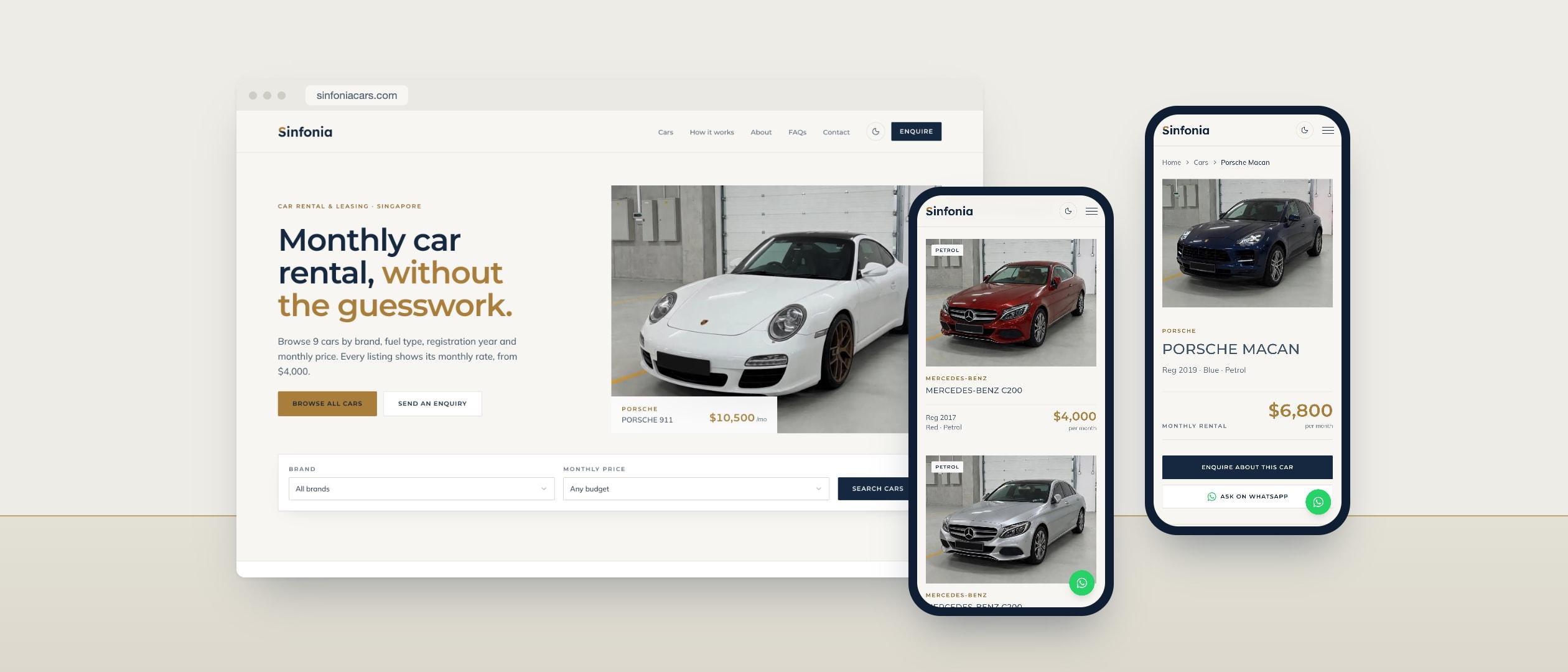
- A quiet showroom. Off-white paper, navy text and a measured amount of gold. The cars bring the colour, and the interface stays out of their way, with near-square corners and hairline rules like a well-kept showroom floor.
- Gold kept for what matters. Gold marks the logo, the main call to action and each car's price. Every text colour was checked for contrast, and the gold is kept to large text.
- Type from the client's own reference. Montserrat, the face on the listing card the client sent, sets headings, car names and labels. Mulish, a softer face, sets the reading text.
- A wordmark that stands alone. Of three logo concepts, the client chose a navy "Sinfonia" with the top of the S in gold. The second word, "Cars", was dropped so the name stands on its own.
- The car is the hero. Listing cards follow the client's reference: a square-cornered photo, the name in capitals and the details beneath. On a car page, the photo stays in view while the details scroll past.
- Consistent photography. Every car was photographed in the same garage from the same three-quarter angle. Cropped to 4:3 with the whole car in frame, the fleet reads as one collection.
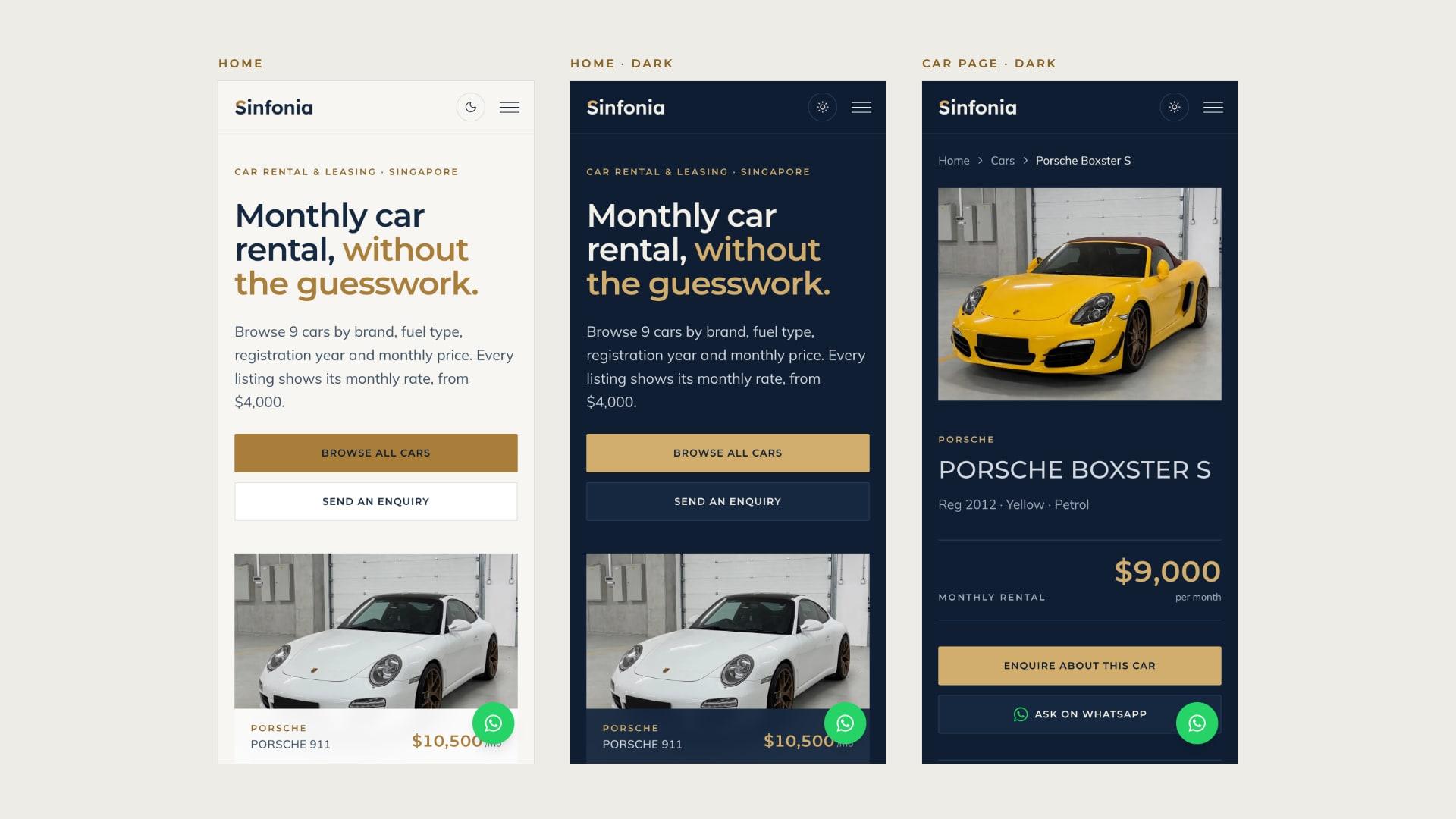
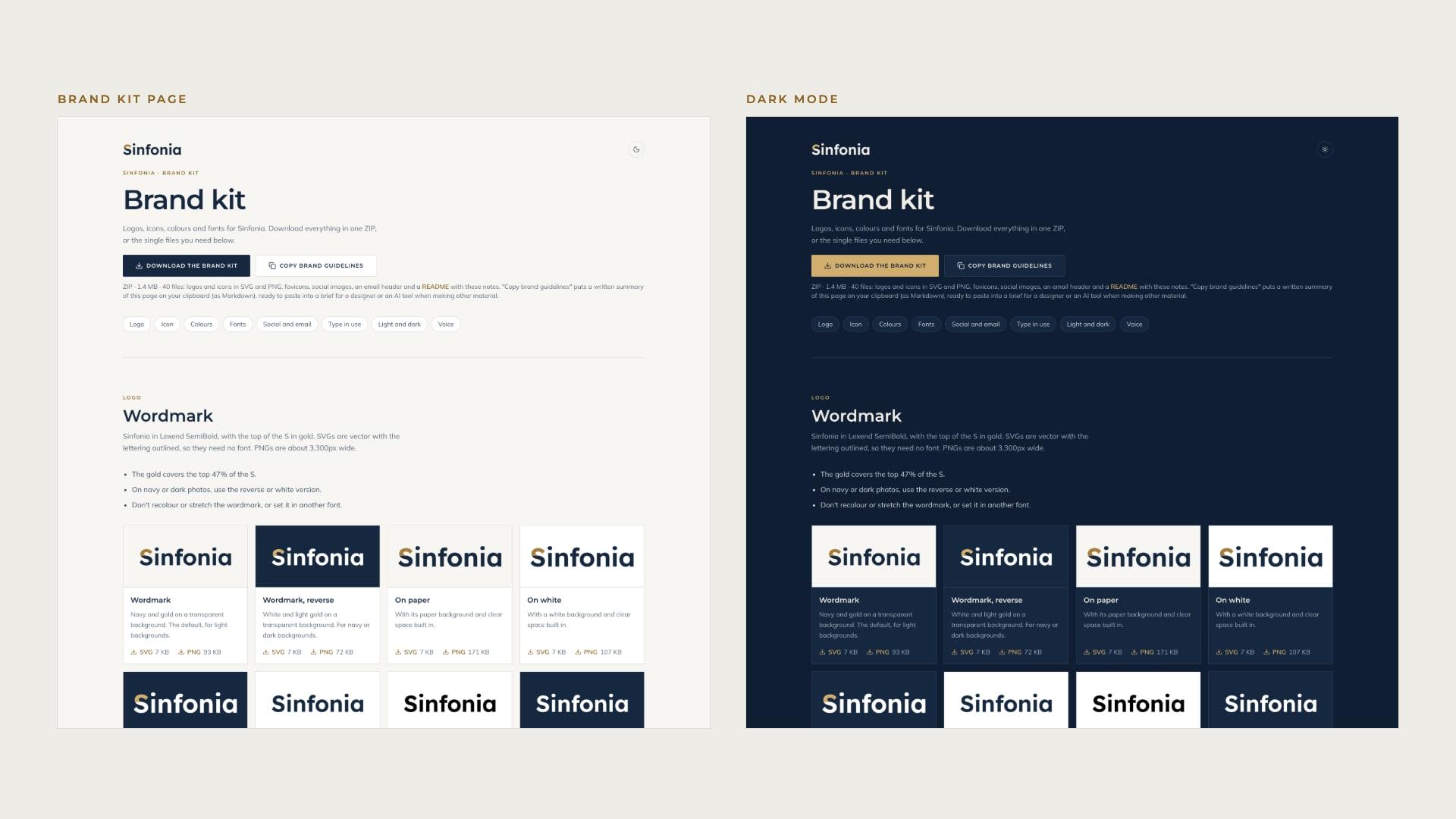
- Light and dark. The site opens in light mode, and a moon button switches to the same showroom after hours: night navy with gold.
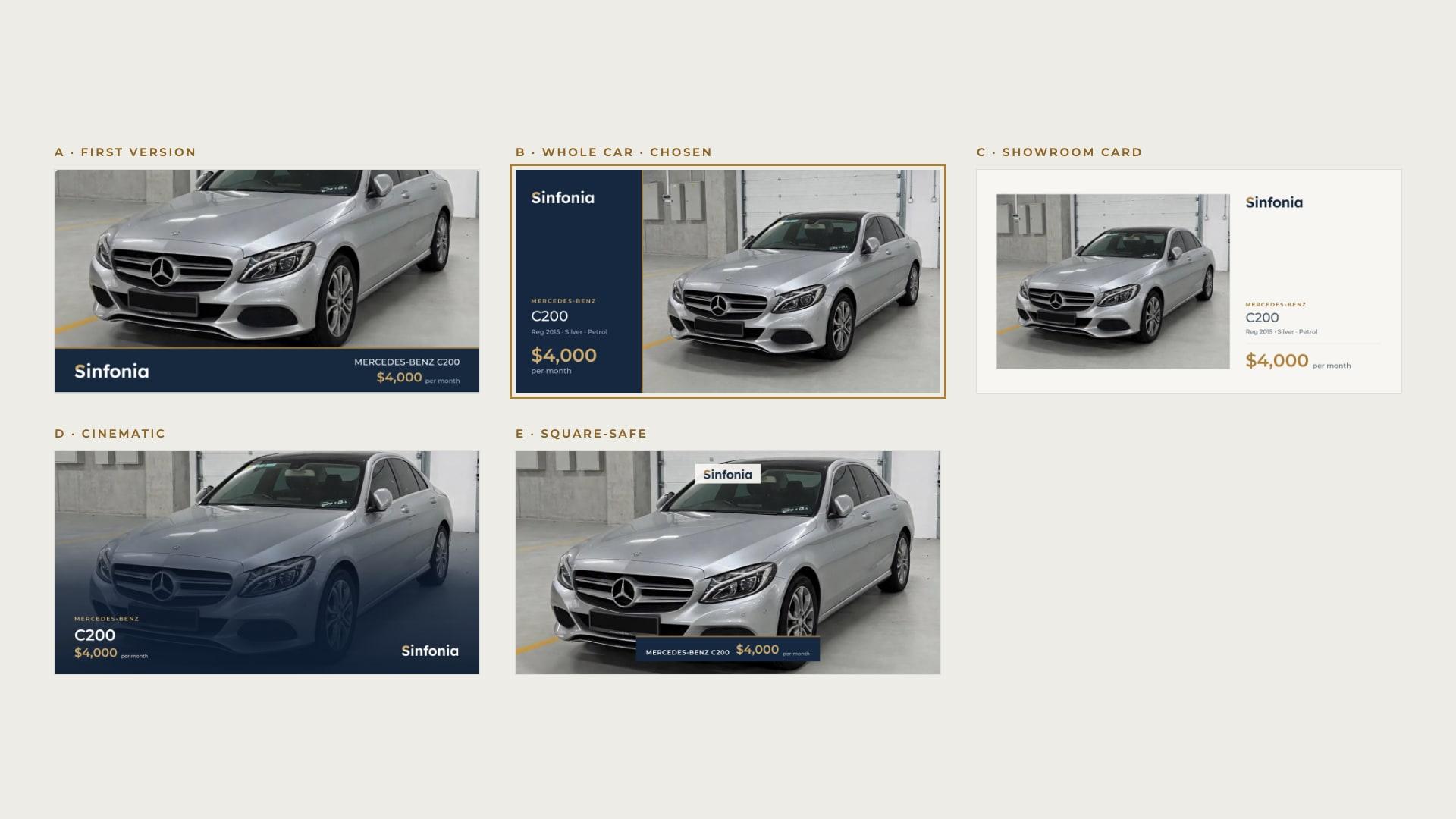
- Share images built for WhatsApp. A shared link is now how a car gets recommended, so every car has its own preview image. Five layouts were tested as link cards and as small chat thumbnails. The chosen one shows the whole car beside a navy panel, because full-width layouts cut off the roof or the bumper.
The build
The site went from first commit to live in two days, in 27 commits.
- A fleet page that does the sorting. Visitors filter by brand, year, fuel and monthly budget. Every filter lives in the web address, so a filtered list can be sent on WhatsApp and the Back button undoes the last change. On phones, the filters open in a bottom sheet.
- A page for every car. Photos, specs, an "Enquire about this car" button and an "Ask on WhatsApp" button with the message already written, plus three similar cars to keep browsing.
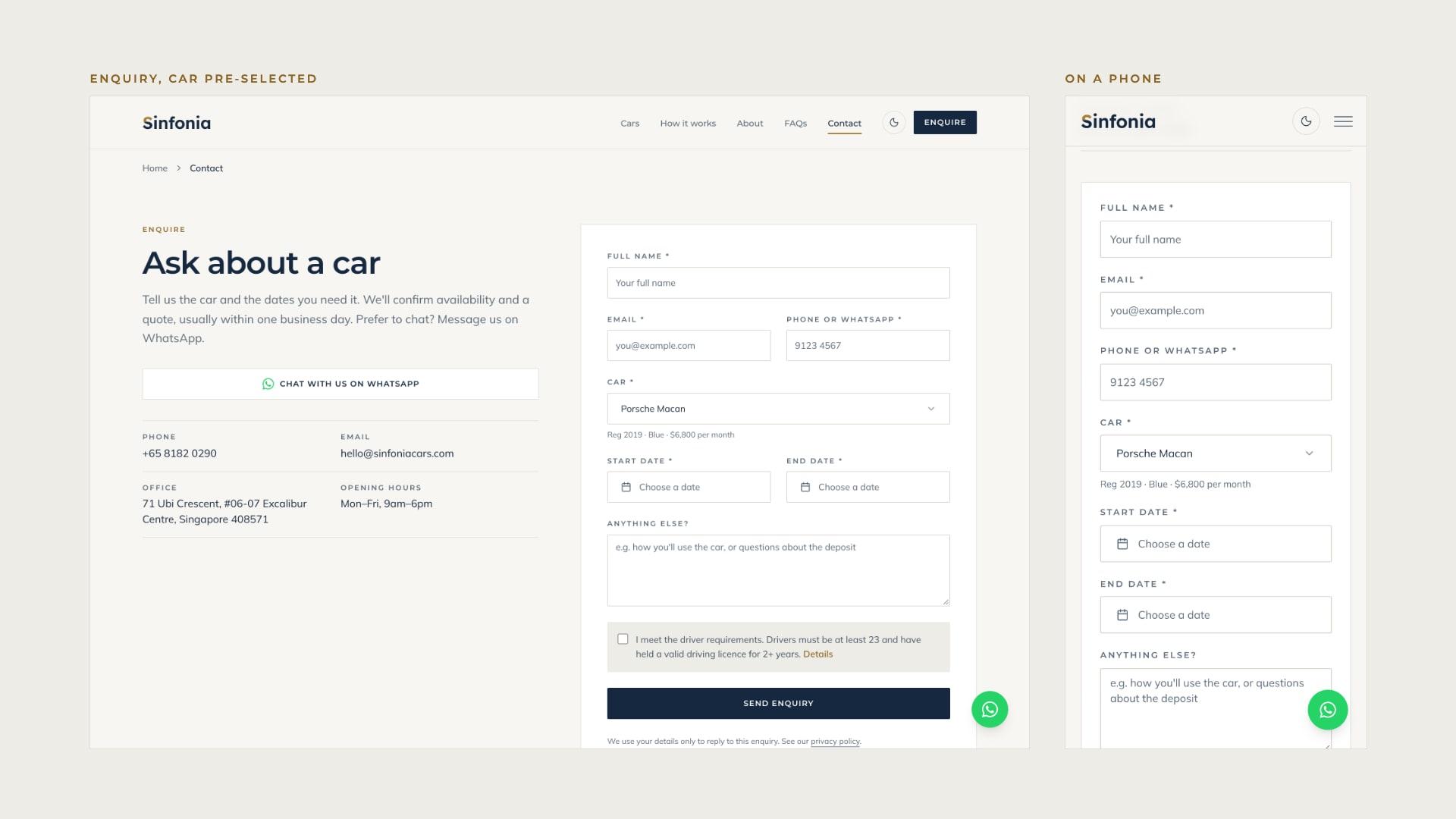
- Enquiries that arrive complete. The enquiry form opens with the car already chosen. It asks for start and end dates, accepts Singapore or international numbers, and asks the renter to confirm the driver requirements. Spam is filtered out, and the email arrives from Sinfonia's own domain.
- Rules stated once. Minimum age and licence years are written in one place and appear wherever someone might enquire, so they never disagree.
- A brand kit for what comes next. A brand page gives the client every logo, icon and share image to download, and copies the brand guidelines as text for briefing a designer or an AI tool.
Technical implementation
- Car data is a typed list checked by a schema at build time, and the same schema can read from Sanity when the client starts editing cars.
- Filter state lives in the URL with nuqs and is rendered on the server, so search engines see the filtered list too.
- Structured data: AutoRental for the business, and a Car with a monthly offer on every car page.
- Search engines and AI answer engines are allowed in, so the site can be cited when someone asks where to rent a car in Singapore.
The result
Sinfonia went live on sinfoniacars.com on 14 October 2026. Instead of sending photos to everyone who asks, the team sends one link, to a single car or to a filtered list. Visitors browse the whole fleet, check the requirements and send a complete enquiry without a phone call. When the next car arrives, its page, listing and share image all come from one entry.
 Next.js